

Get Started with Easy Markdown Exporter for Confluence
Welcome to Easy Markdown Exporter for Confluence, the app that provides an easy and intuitive way to export Confluence pages or entire spaces to Markdown while preserving structure, images, attachments, and links (bulk export).

This app is crafted by AppLiger - Atlassian Silver Marketplace Partner 🏆
Let’s get started!
⬇️ Export Confluence Space
-
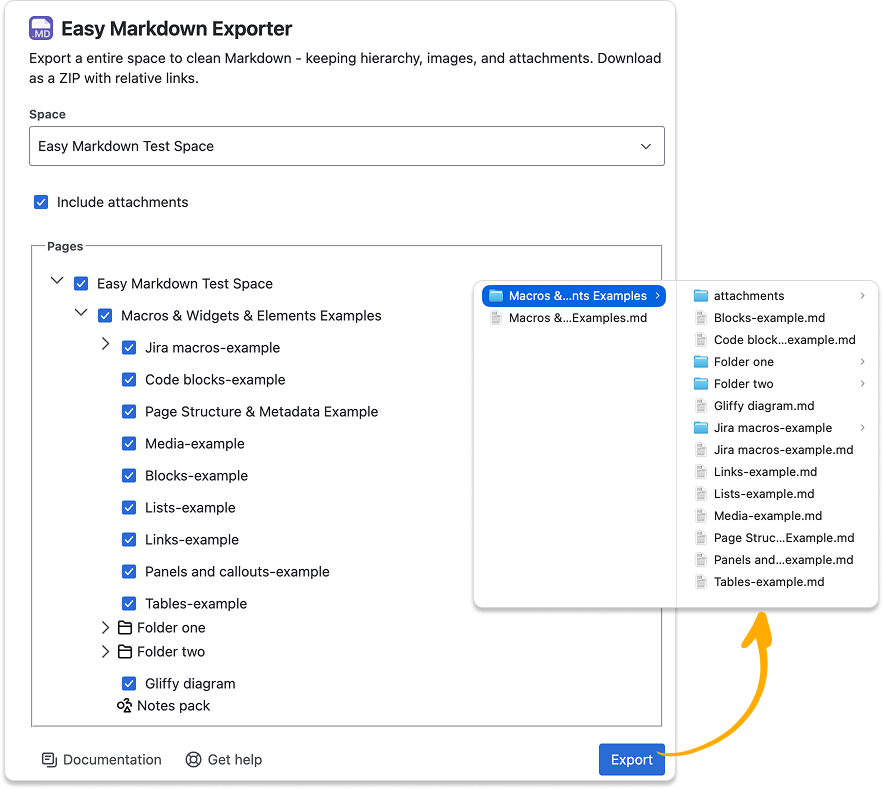
Navigate to Apps → Easy Markdown Exporter → Select space
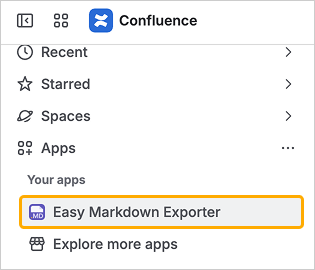
-
Confirm the folder tree hierarchy
-
Choose if you want to download attahments attachments
-
Click “Export”
-
You’ll get a ZIP file with a clean hierarchy with working links
⬇️ Export Confluence Page
-
Navigate to a single Page → More Actions “...” → Apps → Export to Markdown
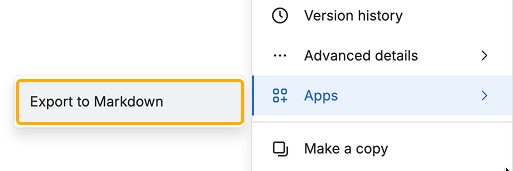
-
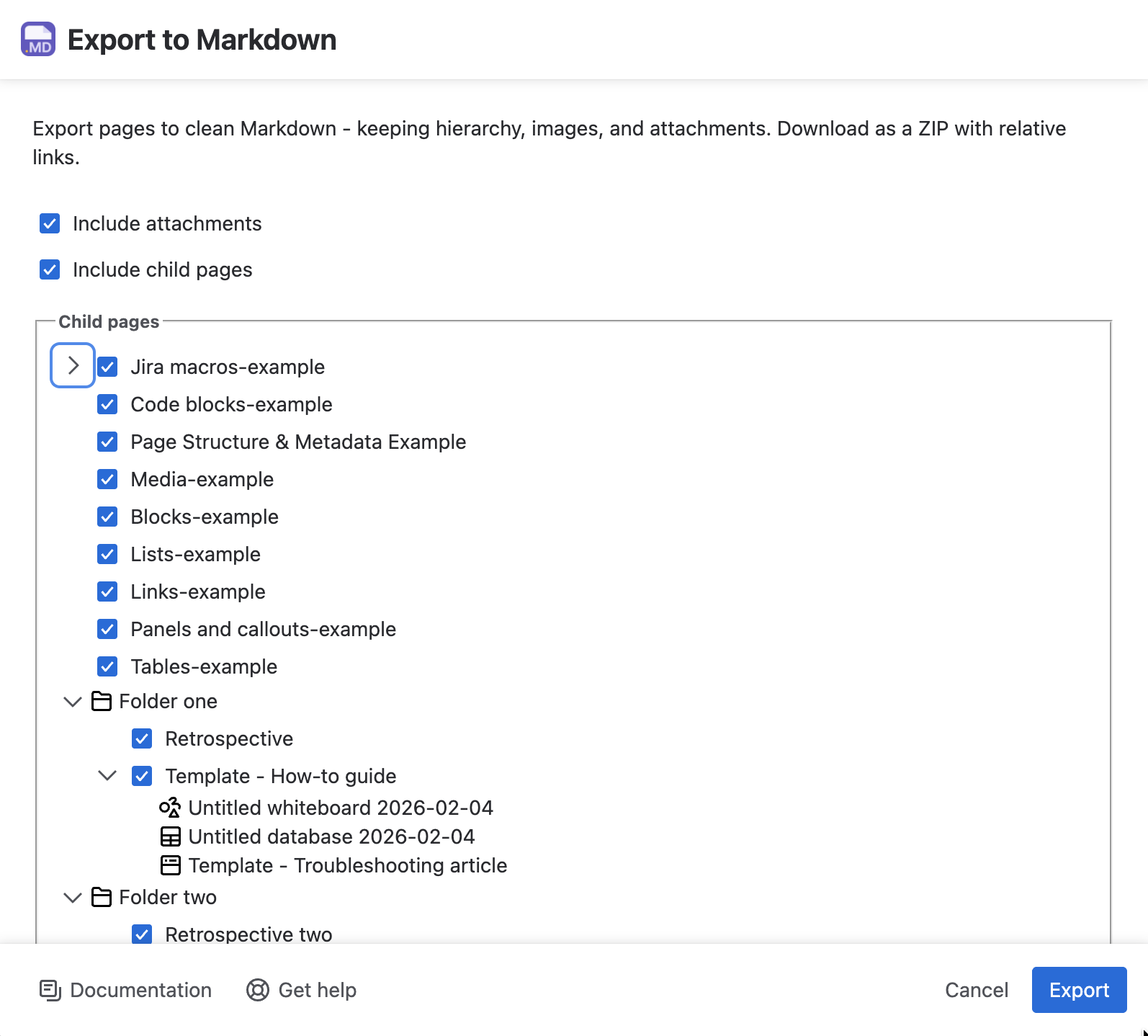
Same as for Space Export: confirm the folder tree, and attachments
-
Then click “Export” to download the ZIP archive
-
🎉
🗒️ App Limitations and Known Issues
Some macros or widgets are not supported yet. We are constantly working to improve the app. Let us know if you need a specific element.
Not supported macros:
-
Excerpts
-
Images in excerpts
-
-
Jira macroses
Have questions or ideas?
Check our other apps