
📦 Easy Templates: v11.65.0
Templates constructor and other improvements
✨ What's new? NEW
Introducing the Templates constructor - a new way to build your template from scratch.
-
Click “Create Template” to open the creation page with options.

-
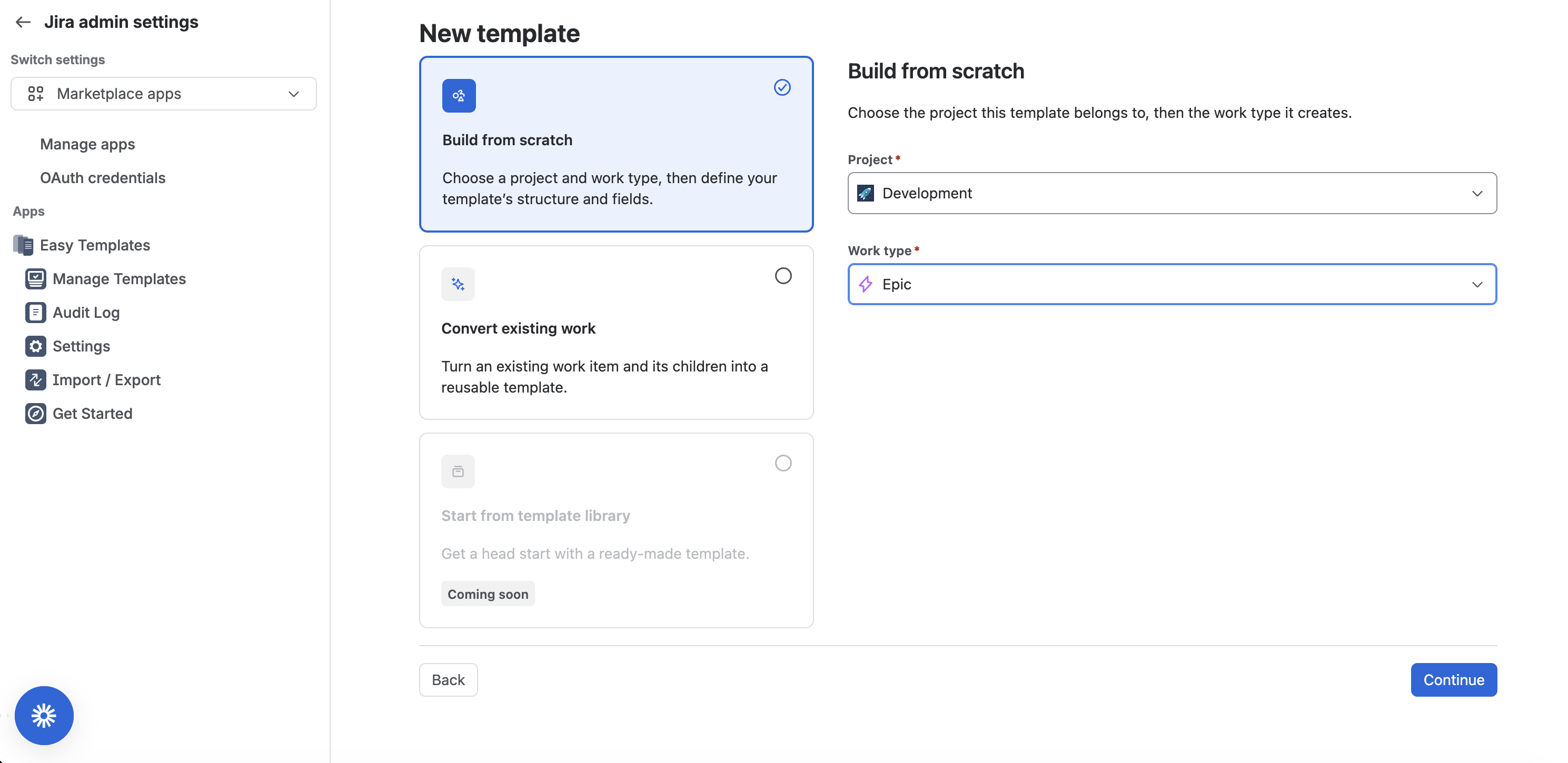
Choose “Build from Scratch,” select the source project and issue type, then click “Continue.”
-
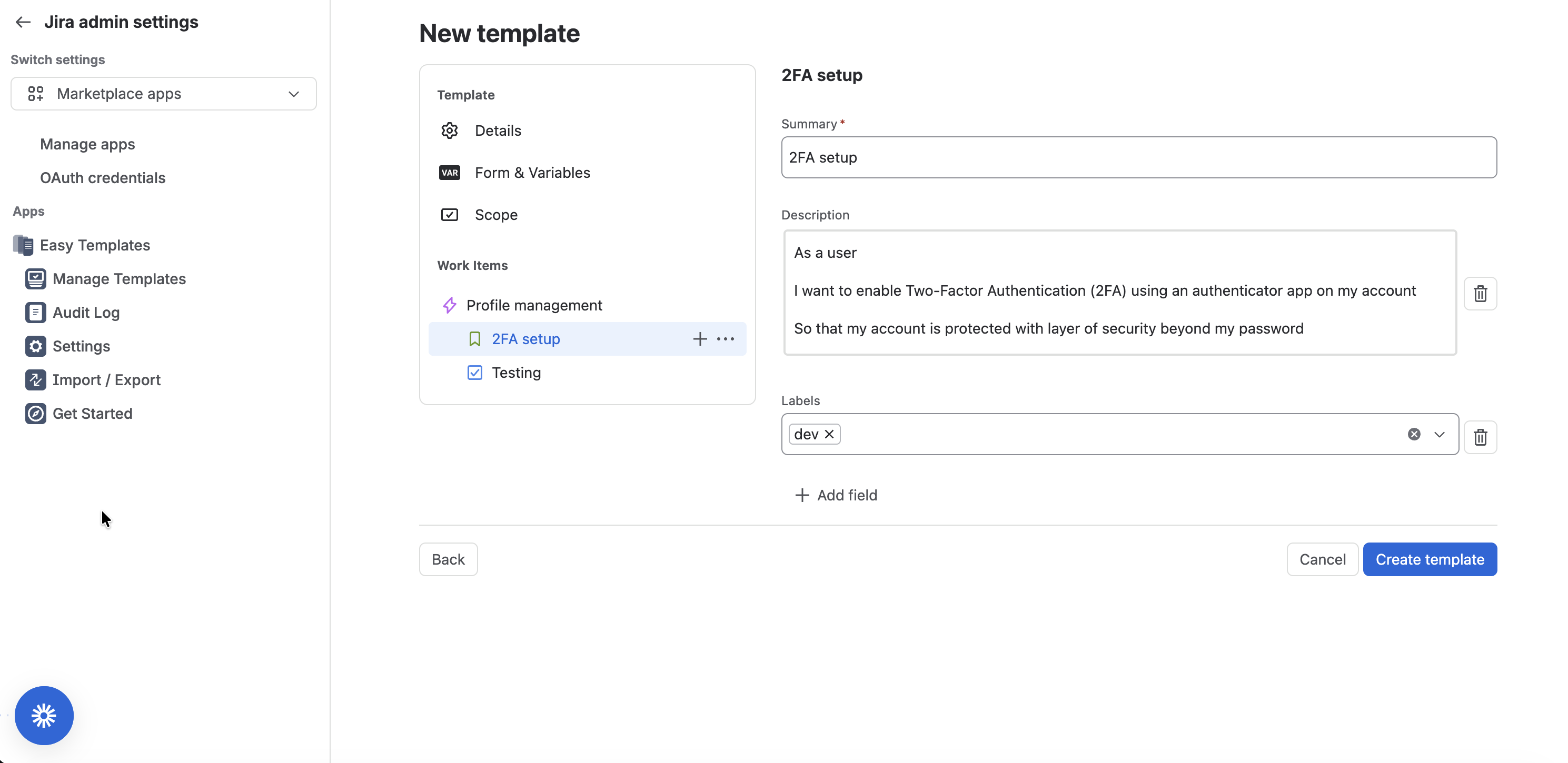
Set the template name, add issues/work items/sub-tasks to the structure, configure form and variables if needed, set the usage scope, add system or custom fields and values, then click “Create template.”
-
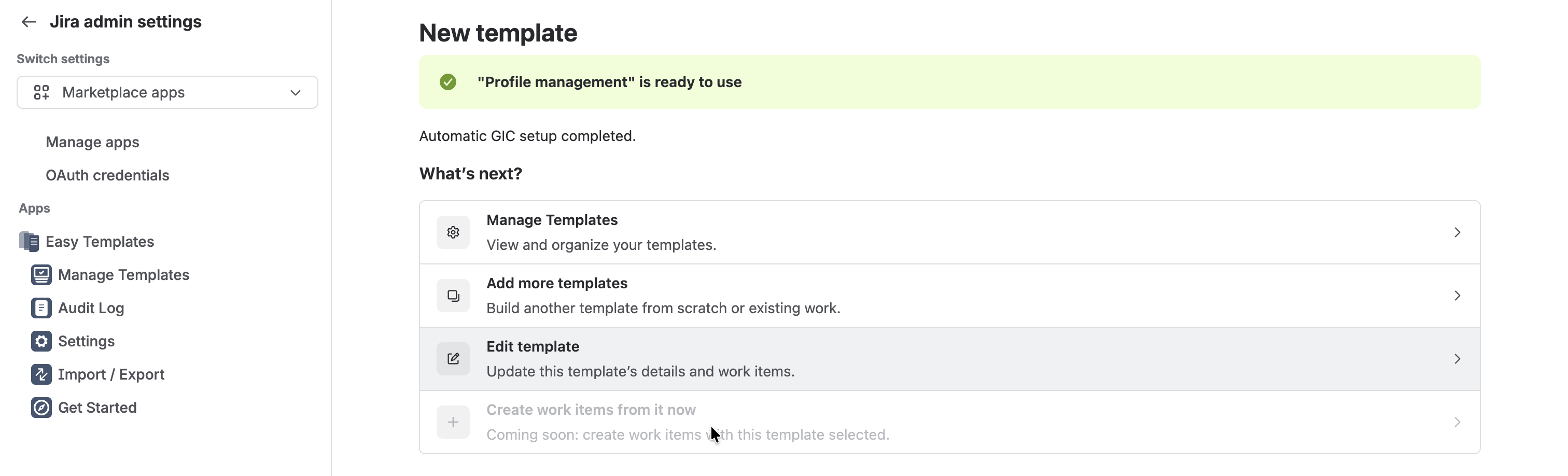
Choose the next step: manage templates, add more templates, or edit the template you just created.
🛠️ Improvements & changes Improved
-
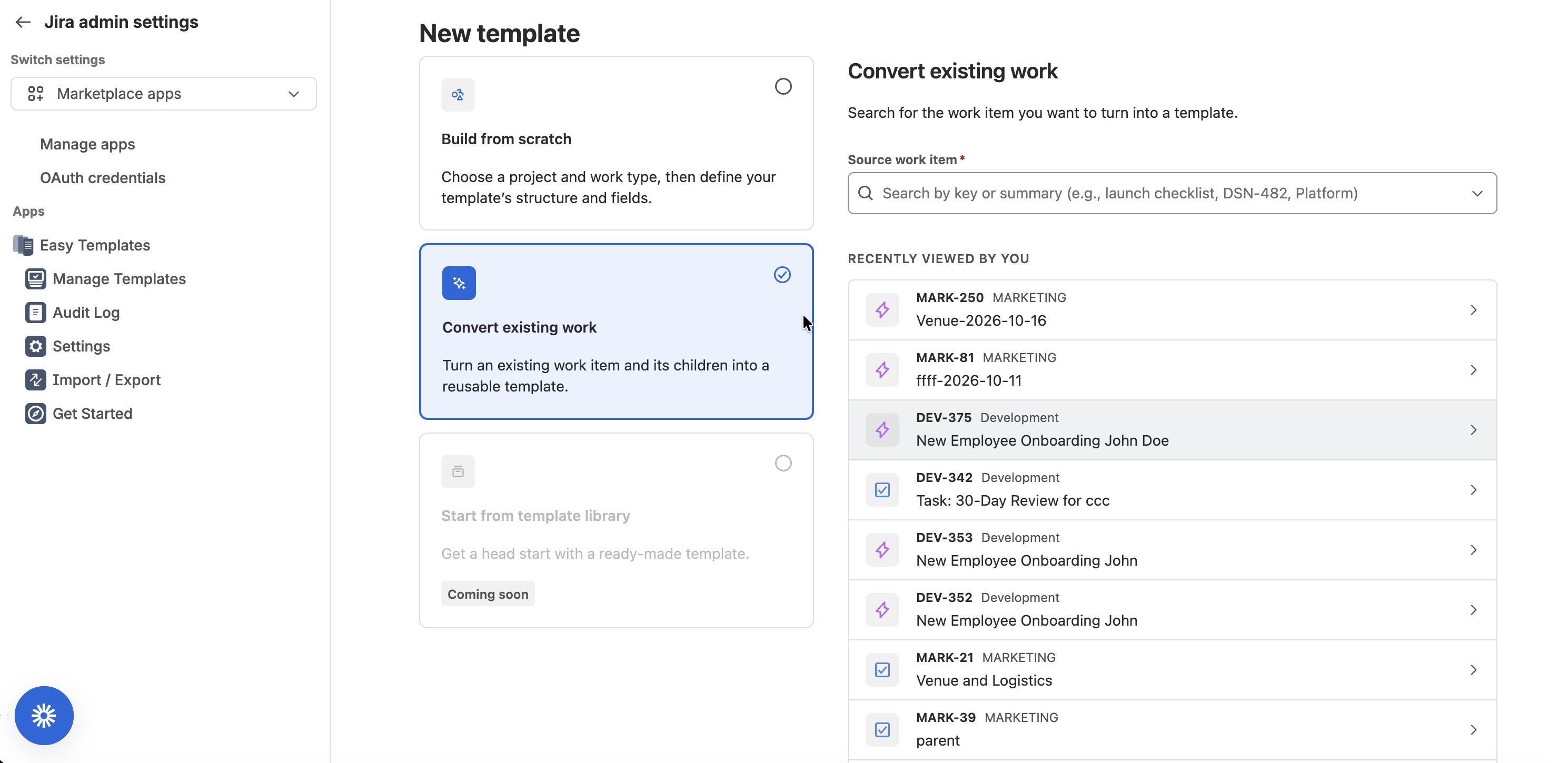
Improved conversion of an existing task to a template: view recently used work items or search by type key, project, or summary to find the item you need